Release Date: 01 March 2022 | Updated 13 January 2025
Status: Released to Production
For detailed information on Aztec 3.21.0 please view a section below.
 New Features Summary
For more information any of the features introduced in this release click the title link to navigate to the new feature information.
Updated Hotfix 13 January 2025
Hotfix 584051 - This hotfix addresses an identified issue where the Audit Reader would record the EFT Breakdown incorrectly against a Payment in the database if another payment method matched the first 3 letters of the Issuer string that Aztec was looking to match
This hotfix is for 3.21.0 and should be applied to Site and Single Site Master
Updated Hotfix 09 May 2024
Hotfix 503548 - This Hotfix is to address bug 501444 for an Aztec Import issue causing Theme XML generation errors to occur.
This hotfix is for 3.21.0 and should be applied to Head Office and Single Site Master Only
Updated Hotfix 03 May 2024
Hotfix 500650 - This Hotfix is to address bug 451488 for causing products to lose their price during database maintenance in specific cases and be unsellable.
This hotfix is for 3.21.0 and should be applied to Head Office, Site and Single Site Master Only
Updated Hotfix 12 March 2024
Hotfix 501571 - This Hotfix is to address bug 467202 for further Promotions and Theme Preview performance issues with Theme Previews sp_TariffPrices and Promotions spRefreshPromotionPrices query optimisation.
This hotfix is for 3.21.0 and should be applied to Head Office and Single Site Master Only
Updated Hotfix 19 December 2022
Bug 394806 Promotions Event Pricing - Group Name only accepts 1 character.
This hotfix is for 3.21.0 only and should be applied to Head Offices, Sites and Single Site Masters.
Updated Hotfix 16 November 2022
Bug 395042 Standard Pricing Import - date format errors (Re-release of Hotfix 373877)
This hotfix is for 3.21.0 only and should only be applied to Head Offices and Single Site Masters.
Updated Hotfix 11 November 2022
Bug 395502 - KiQ - Late Ticket Report - NULL LineType
This hotfix is for 3.21.0 only and should be applied to Head Offices, Single Site Masters and Sites.
Updated Hotfix 29 September 2022
Bug 373881 - Exception Wizard Search Buttons are Inactive.
This hotfix is for 3.21.0 only and should be applied to Head Offices, Single Site Masters and Sites.
Updated Hotfix 28 September 2022
Bug 373877 - Price Bands Import (from Excel) has Date Format errors.
This hotfix is for 3.21.0 only and should only be applied to Head Offices and Single Site Masters.
Updated Hotfix 13 September 2022
Bug 373883 - Staff & Security: Users cannot search Areas or Sites using the filter function in add new user/modify existing user location access permissions wizards.
This hotfix is for 3.21.0 only and should only be applied to Head Office machines and Single Site Masters only.
Updated Hotfix 06 September 2022
Bug 357913 - Error when reordering Promotion List grid
The hotfix is for 3.21.0 only and should be applied to Head Offices, Single Site Masters and Sites.
Updated Hotfix 06 September 2022
Bug 352991 - Variable Seconds Delay When Adding Ingredient/Portion in Product Modelling
Updated Hotfix 20 July 2022
Bug 361125 - RestService error when attempting CLM operation
Updated Hotfix 29 June 2022
Bug 355665 - Aztec Rest Service not populating cashback amount and folio indexes
Updated Hotfix 22 April 2022
Bug 344678 - Menu Manager import updates were not included in Aztec 3.21.0, a hotfix has been made available to correct this.
Prompt on POS if user completing Reverse Payment is not the same as the payment taker - AZT-660
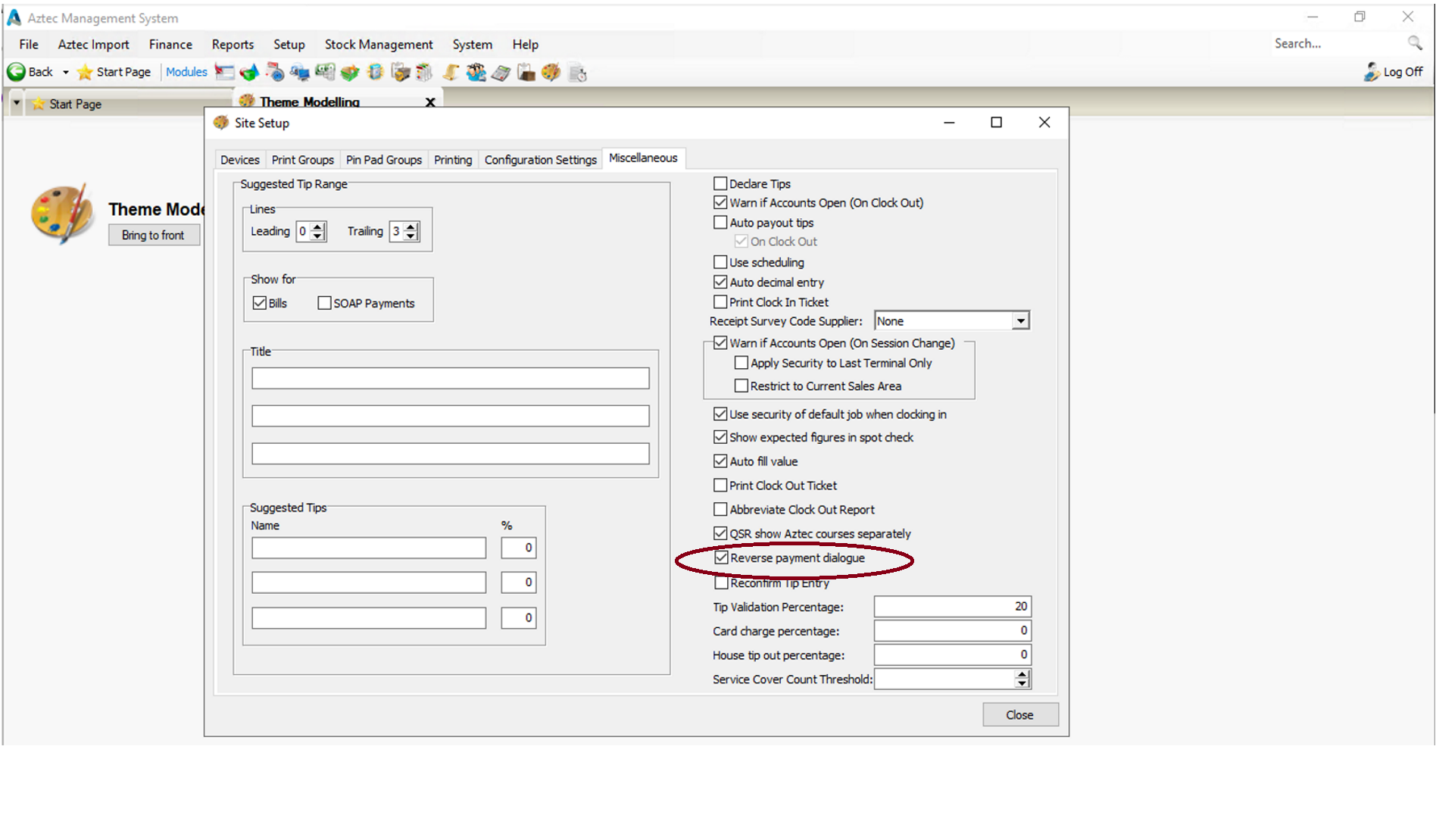
Head Office users will be able to enable a new configuration "Reverse Payment dialogue" within Theme Modelling | Site Setup | Miscellaneous on a site by site basis. When this configuration has been enabled for a site, if a POS user tries to reverse a payment that has been taken by another POS user, they will be prompted on the POS with a dialogue "Warning you are not the payment taker, are you sure you want to proceed?"
Head Office Configuration
This feature does not operate by default in this version of Aztec, it must first be configured as described below.
-
At head office, open Theme Modelling | Site Setup
-
In the Miscellaneous tab there is now a “Reverse Payment dialogue” checkbox. This will be disabled by default.
-
Close Theme Modelling.
Head Office Configuration - Send Changes to Sites
For the new settings made at Head Office to take effect at site, perform a communications job to the required sites.
For detailed information on running communications jobs click here.
Front of House Operations
When a successful comms has been sent to site, the changes need to be sent to the POS via Theme Modelling on site.
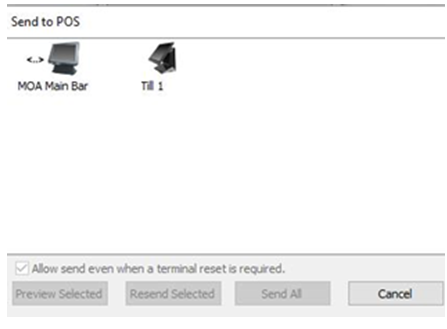
When a POS user (who is not the most recent payment taker on the account) reverses a payment, the following dialogue will be displayed:
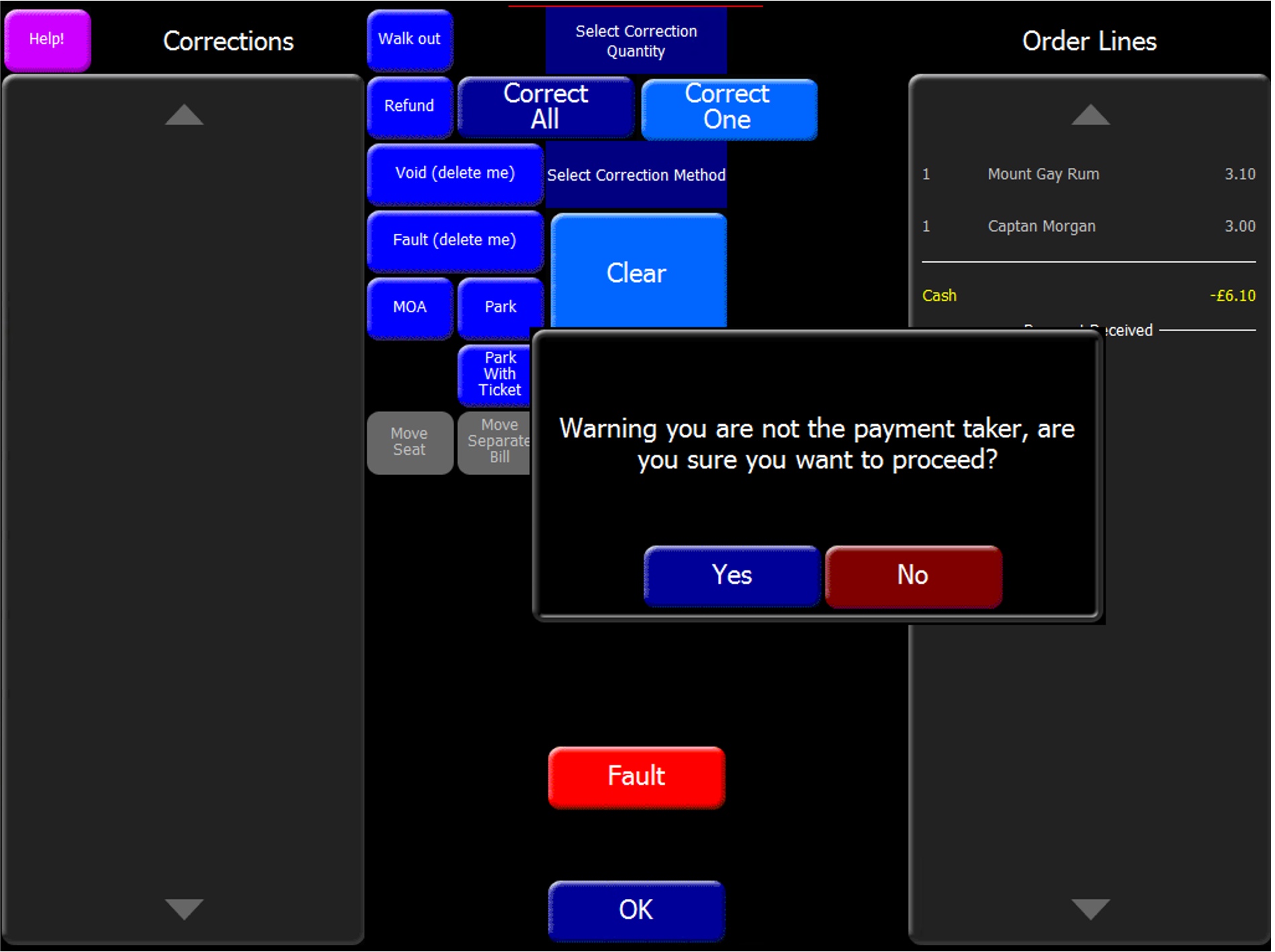
If there is already a security prompt ie a prompt that requires authorisation such as "**** is not allowed to reverse Cash payment of £x.xx. The account owner is xxxx...." then the Reverse Payment dialogue will not be displayed.
Serve All Delayed Orders on the POS - AZT-633
If existing configuration in Base Data | Estate Structure | Site Settings | Delayed Ordering | Use delayed order is enabled, this will allow a Head Office user to add a "Serve all Delayed orders" button to the theme. When a POS user (with valid permissions) presses the "Serve all Delayed orders" button at site, they will be presented with a dialogue which will state how many delayed orders there are, how many are ready to be served and the option to serve them now.
Head Office Configuration - Enabling Feature
This feature does not operate by default in this version of Aztec, it must first be configured as described below.
The "Serve all Delayed orders" button can only be used on the POS if the site is already configured for delayed orders - Base Data | Estate Structure | Site Settings | Delayed Ordering | Use delayed order
Head Office Configuration - Add button to Theme
The Serve All Delayed Orders button needs to be added to the relevant theme, this can be found in the button picker under Other Lists | Delayed Orders
For detailed information on adding buttons to theme panels root or local panels click here or for shared / variation panels here.
Head Office Configuration - Send Changes to Sites
For the new settings made at Head Office to take effect at site, perform a communications job to the required sites.
For detailed information on running communications jobs click here.
Front of House Operations
When a successful Comms has been sent to site, the changes need to be sent to the POS via Theme Modelling on site.
When a POS user presses the "Serve all Delayed Orders" button on the POS, they will be prompted with a dialogue advising how many delayed orders are open, how many delayed orders are ready to be served and an option to serve them.
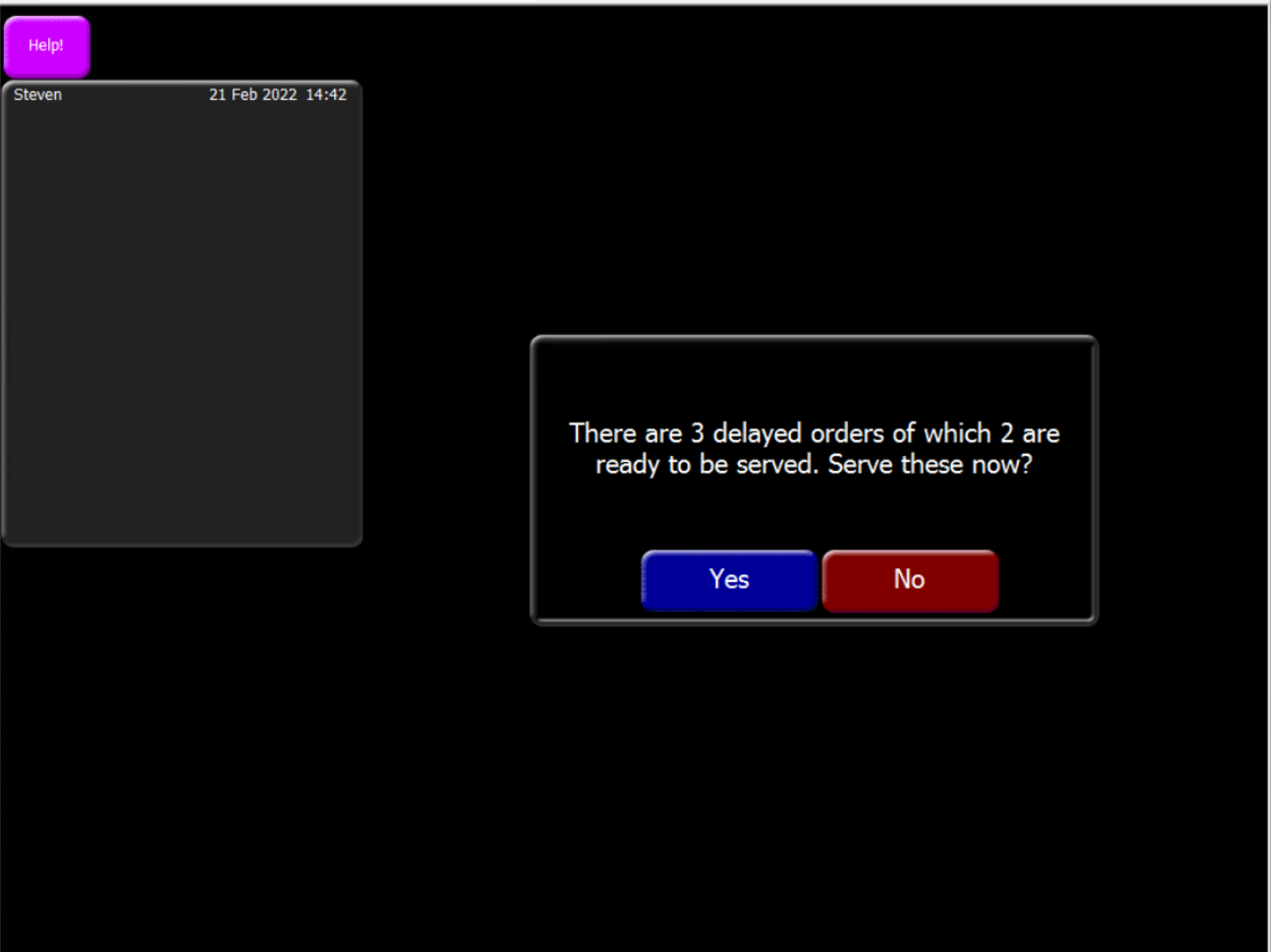
If you press Yes at this stage, all delayed orders that are ready to be served will be served.
A further completion dialogue will then be displayed.
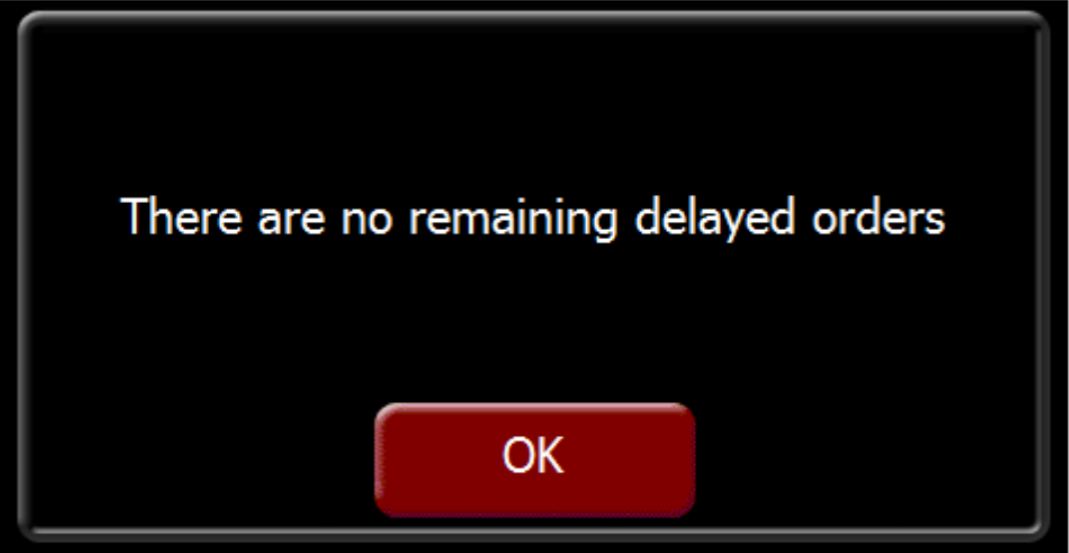
The completion dialogue would also advise if there are any delayed orders which could not be served
Internal Transfers Comms Mechanism using ZCF - AZT-637
A Head Office user is now able to configure the comms mechanism securely using ZCF for internal transfers between sites. The existing comms mechanisms for internal transfers required that either each site connect to each other via IP to open SQL port (less secure) or in Aztec 3.17+ using Use ZCF for internal transfers checkbox in Aztec | Base Data | Site Settings | Purchasing (supported in non- hosted environments only).
ZCF v4.39.0 or above is required for this Feature.
.NET v4.7 or higher is required for this Feature.
Head Office Configuration - Enable Feature
This feature does not operate by default in this version of Aztec, it must first be configured as described below.
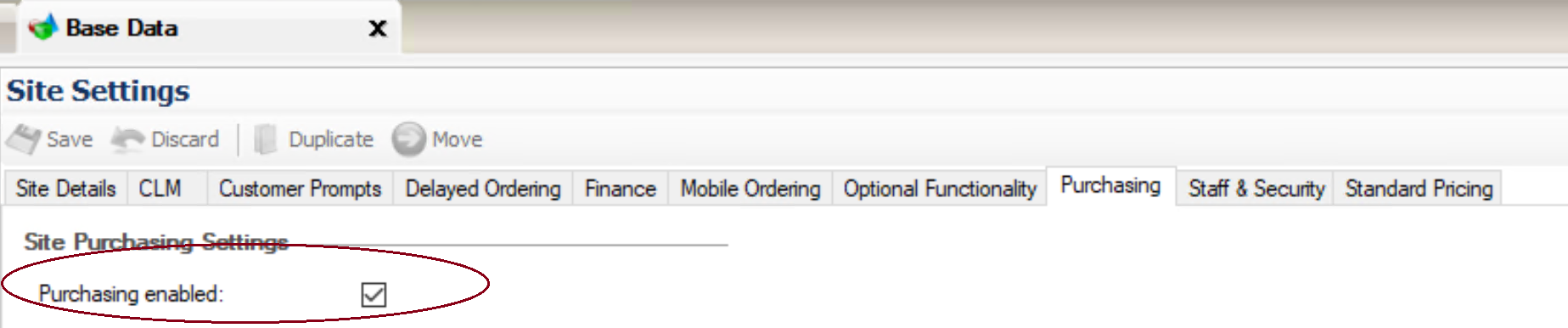
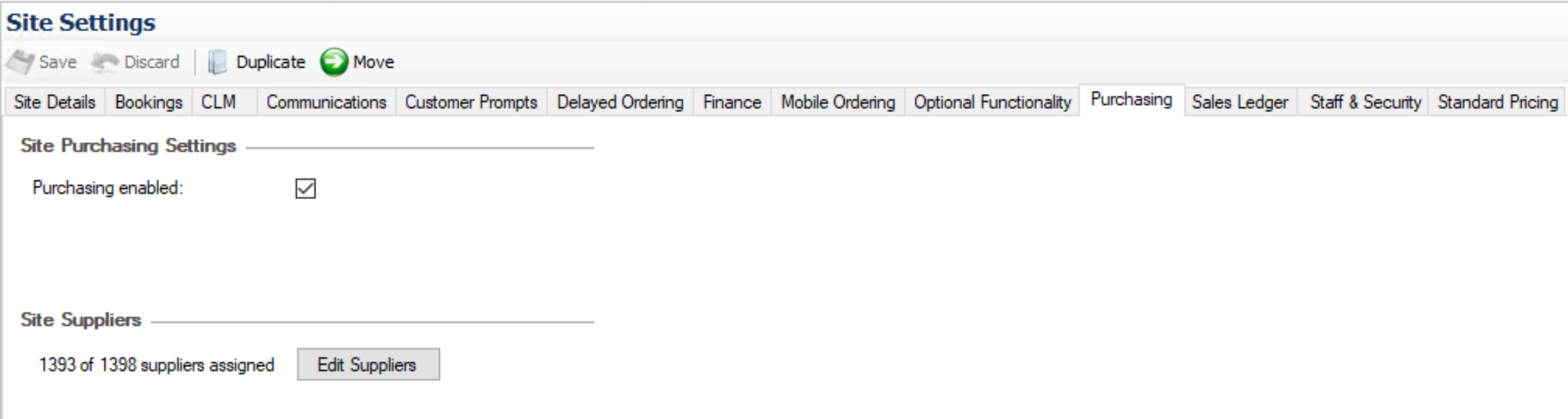
The following existing configuration is required for ZCF Internal Transfers : Aztec | Base Data | Site Settings | Purchasing | Purchasing enabled. The BoH user at site also needs a role that has the Aztec Purchasing permission
-
At Head Office, open Base Data | Estate Structure | Estate Settings

-
In the ZCF Internal Transfer Credentials enter a Username and Password (which will be masked in the UI)
the username and password for ZCF Internal Transfer Credentials needs to be provided by Zonal. Please contact your Zonal account manager who will arrange this.
Once credentials have been entered, Save and close Base Data.
Once a site has been upgraded to 3.21.0 and higher , the Aztec 3.17 functionality "Use ZCF for internal transfers" checkbox will no longer be visible at Head Office in Aztec | Base Data | Site Settings | Purchasing.
Head Office Configuration - Send Changes to Sites
For the new settings made at Head Office to take effect at site, perform a communications job to the required sites.
For detailed information on running communications jobs click here.
Site
At site level there are no changes to the user experience when using internal transfers via ZCF comms mechanism.
For sites previously using 3.17+ "Use ZCF for internal transfers" checkbox, when upgrading to Aztec 3.21.0, Head Office will need the new ZCF user name and password credentials populated in order to continue performing internal transfers via ZCF
Mixed estates - during the upgrade rollout of an estate when some sites are on pre-Aztec 3.21.0 versions, these sites will still be able to perform internal transfers with upgraded sites. If the sending or receiving site is on a lower version than Aztec 3.21.0 or not configured to use ZCF credentials, comms mechanism will revert to pre-Aztec 3.21.0 comms mechanisms already enabled
Technical & Supporting Changes
Add AztecImportService to ServiceWatchdogList - AZT-729
The Aztec Service Watchdog will now monitor the Aztec Import Service.
Enhancing fixed and dynamically created panels for i700 (14 x 14) to not obscure the order display - AZT-612
Centring fixed and dynamically created panels that are 9 buttons width or less for the 14 x 14 panel to not obscure the order display. To note, this includes the Open Discount panel (within the Payment panel).
Remove RMS agent settings from Aztec fixed data - AZT-728
RMS POSInt plugin has settings for agent id and agent password. These are fixed for all Zonal sites so should not be an option for the user to change. Therefore they have been removed from the ac_CLMPluginSettingsDefinition table.
Improving auditing of EFT transactions - AZT-705
When EFT payment transactions that use SOAP are completed on the POS, there are a number of transactions that are committed into the audit trail that are not stored into the database which have been identified as not required. The following transactions have been removed from the audit trail to assist in preventing the POS memory from filling up as quickly: SOAPCommonRequestDetails, XRecordSent, YRecordReceived.
An additional record has been added to the Event log to assist support. This record begins with "StartingEFTPayment" and this also includes the Accountid and ReceiptNumber
Add new entry to ThemeCLMAccount to ensure hotel postings are treated as CLM operations -AZT-682
Supporting changes for POSInt to ensure Hotel postings are treated as CLM operations.
Pass additional data to Menu manager via ZCF - AZT-657
In order to support the Zonal Menu Manager integration the following fields are now passed via ZCF to the Product export:
-
Cook times
-
Invoice Name
-
Display Order
-
IsMinor
-
Discontinued
ZCF v4.39.0 or above is required for this Feature
Changing the EPoS Http port number - AZT-727
Changes to Windows registry settings to the EPoS launcher so that the default till http port has a /K"PORT" parameter added.
Punchh Loyalty - AZT-703
Supporting changes for the POSint integration with Punchh loyalty. Please refer to POS Integration 1.44 release for more information.
Bugs & Issues Resolved
| Zonal ID | Description |
|---|---|
| 15381 | Aztec Import Fails if ingredients in a portion with multiple lines of the same product are reordered |
| 15382 | Aztec Import Should handle Duplicate PurchaseUnits on a purchase product update |
| 15383 | Aztec Import Service Doesn't Install Error.xslt |
| 15384 | Aztec Import: Missing <StockCountUnit> element for 'Preparation' products causes SQL error. |
| 15385 | Aztec Import: Missing <MakesAmount> element for 'Preparation' products causes NULL reference exception |
| 259158 | CLMRedemptionDetails transaction is lost when merging accounts |
| 283674 | Aztec Import: Portion PortionTypeId is converted to byte causing it to overflow, generating an incorrect Id value. |
| 307745 | Product Modelling: Portion Type Price Factor as percentage can cause Product Modelling crash. |
| 320244 | Promotions: Access Violation - When checking 'Show only promotions which conflict with current selection' without a promotion being selected |
| 501571 | Theme Previews sp_TariffPrices and Promotions spRefreshPromotionPrices query optimisation |
| 500650 | Products can lose their price under specific circumstances |
| 503548 | Theme Preview XML generation error - recurring issue |
| 584051 | Payment Method changed to EFT type instead of EFT Breakdown |